 Elio Struyf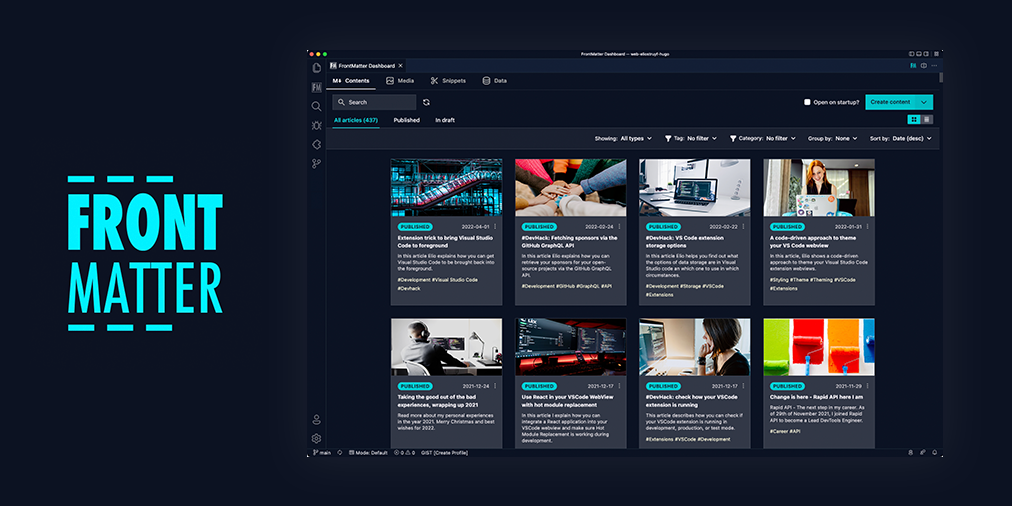
Front Matter a CMS running straight in Visual Studio Code



Check out the extension documentation at frontmatter.codes
What is Front Matter?
Front Matter is an essential Visual Studio Code extension that simplifies working and managing your markdown articles. We created the extension to support many static-site generators like Hugo, Jekyll, Hexo, NextJs, Gatsby, and more.
The extension brings Content Management System (CMS) capabilities straight within Visual Studio Code. For example, you can keep a list of the used tags, categories, create content, and so much more.
Our main extension features are:
- Page dashboard where you can get an overview of all your markdown pages. You can use it to search, filter, sort your contents.
- Site preview within Visual Studio Code
- SEO checks for title, description, and keywords
- Support for custom actions/scripts
- and many more

If you see something missing in your article creation flow, please feel free to reach out.
Version 5
The new media dashboard redesign got introduced + support for setting metadata on media files v5.0.0 release notes.
Version 4
Support for Team level settings, content-types, and image support. Get to know more at: v4.0.0 release notes.
Version 3
In version v3 we introduced the welcome and dashboard webview. The welcome view allows to get you started using the extension, and the dashboard allows you to manage all your markdown pages in one place. This makes it easy to search, filter, sort, and more.
Version 2
In version v2 we released the re-designed sidebar panel with improved SEO support. This extension makes it the only extension to manage your Markdown pages for your static sites in Visual Studio Code.

Installation
You can get the extension via:
- The VS Code marketplace: VS Code Marketplace - Front Matter.
- The extension CLI:
ext install eliostruyf.vscode-front-matter - Or by clicking on the following link: open extension in VS Code
Info: The docs can be found on frontmatter.codes.
Beta version
If you have the courage to test out the beta features, we made available a beta version as well. You can install this via:
- Uninstall the main Front Matter version
- Install the beta version
- VS Code marketplace: VS Code Marketplace - Front Matter BETA.
- The extension CLI:
ext install eliostruyf.vscode-front-matter-beta - Or by clicking on the following link: open extension in VS Code
Info: The BETA docs can be found on beta.frontmatter.codes.
Documentation
All documentation can be found on frontmatter.codes.
Contributing
Pull requests are welcome. Please open an issue first to discuss what you would like to change, or which problem you would like to fix. This makes it easier for us to follow-up and plan for future releases.
You can always help us improve the extension in varous ways like:
- Testing out the extension and providing feedback
- Reporting issues and bugs
- Suggesting new features
- Fixing an issue
- Updating documentation
- UI improvements
- Tutorials
- etc.
Eager to start contributing? Great 🤩, you can contribute to the following projects:
Show the work you are using Front Matter
Are you using Front Matter and are you interested in showing for which websites you use it? You can show your work by opening a showcase issue.
You can open showcase issues for the following things:
- Show the website for which you use Front Matter;
- Share an article/video/webcast/... that explains how you use Front Matter;
- Got something else to share? Open an issue and we can see where it fits on our website.
👉 Contributors 🤘
🖤 Backers & Sponsors 👇 🤘


🔑 License