Piwigo, just like any other web application, is constantly threatened by various kind of attacks. The main ones are SQL injections, (stored) XSS and CSRF.
SQL injections
Maybe the most common attack. The attacker uses a variable in an SQL query to perform what she wants and not what developers had planned. Let's take a simple example.
$query = '
SELECT
    id,
    name,
    comment
  FROM '.IMAGES_TABLE.'
  WHERE id = '.$_GET['image_id'].'
;';
Looks right? What if $_GET['image_id'] (which is a user input from the URL) contains something else than an image id? Something like 1; DELETE FROM users ? You see how dangerous it can be to use unchecked variables in SQL queries.
The solution provided by Piwigo is the check_input_parameter function:
function check_input_parameter($param_name, $param_array, $is_array, $pattern, $mandatory=false)
It's very easy to use. A few examples:
check_input_parameter('action', $_GET, false, '/^(activate|deactivate|set_default|delete)$/'); // action=activate or action=delete
check_input_parameter('batch', $_GET, false, '/^\d+(,\d+)*$/'); // batch=12,34,56
check_input_parameter('cat_true', $_POST, true, PATTERN_ID); // cat_true=123
Where PATTERN_ID is a constant for the most common regular expression to match an identifier (only numeric characters).
If the user input variable doesn't exist or matches the expected pattern, nothing happens. If the variable doesn't match, the execution immediately stops with a big error.
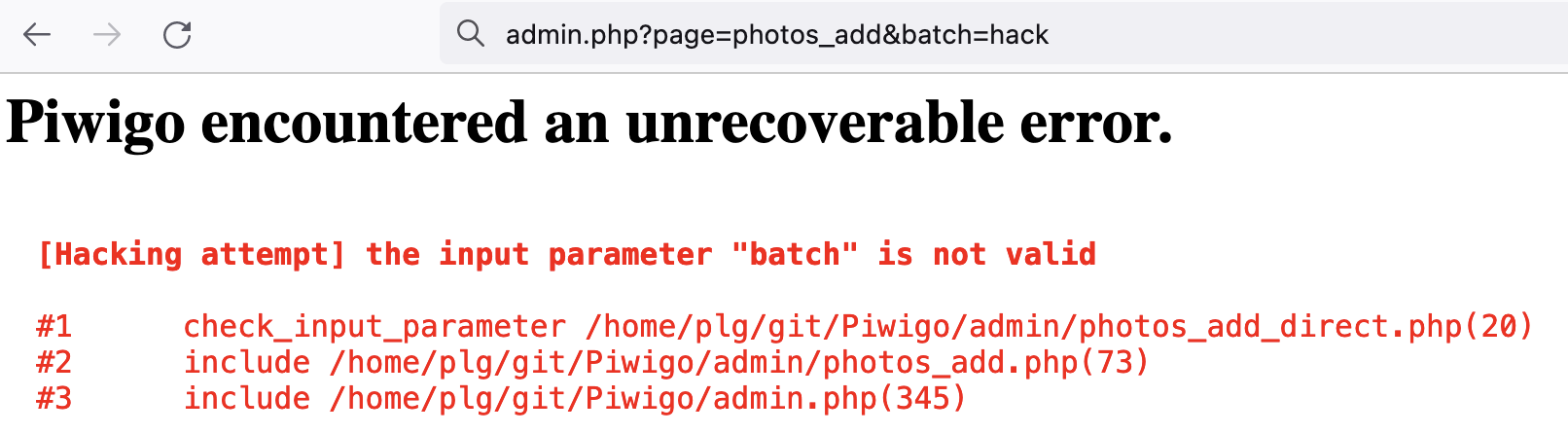
When to use check_input_parameter? On absolutely every user input when the expected pattern is known.
What if we don't have a pattern to check? For example, see this example:
$query = '
DELETE FROM '.OLD_PERMALINKS_TABLE.'
  WHERE permalink=\''.$_GET['delete_permanent'].'\'
  LIMIT 1
;';
Here you have no pattern to match, you don't know what's coming in $_GET['delete_permanent']. The problem is that it could countain something like whatever'; DELETE FROM users WHERE username != '; This time the solution is to "escape" the variable before using it, with the pwg_db_real_escape_string function.
$query = '
DELETE FROM '.OLD_PERMALINKS_TABLE.'
  WHERE permalink=\''.pwg_db_real_escape_string($_GET['delete_permanent']).'\'
  LIMIT 1
;';
(stored) XSS
Read a full explanation about Cross Site Scripting (XSS) vulnerability on Wikipedia.
To avoid XSS in Piwigo, we must avoid using HTML/Javascript "as is" when provided by user input. But wait, it's not as simple as using strip_tags systematically. Indeed, all HTML/Javascript is not a problem. To make things simple, administrators are allowed to inject HTML/JS code in photo/album descriptions. That's a feature, not a vulnerability.
For lower user status, Piwigo must remove unexpected content, like this:
$field => strip_tags($_POST[$field]) // strip_tags prevents from XSS attempt
Generally speaking, use such a protection on gallery side (when adding a user comment for example).
CSRF
Read a full explanation on CSRF on Wikipedia. Also an explanation, but in pictures on CSRF on PortSwigger
So in Piwigo we have implemented the pwg_token solution. Here is how it works. First in the form:
<input type="hidden" name="pwg_token" value="{$PWG_TOKEN}">
In the PHP, you send the template variable like this:
$template->assign('PWG_TOKEN', get_pwg_token());
And this is how you check the token is valid when submitting the form:
check_pwg_token();
You will find many use case in Piwigo code. Now you know how to use the pwg_token, you need to know "when" to use it: everywhere you delete data or edit data. If you want to make things even more secure you can use pwg_token on data creation too.