# MeshCore Stats
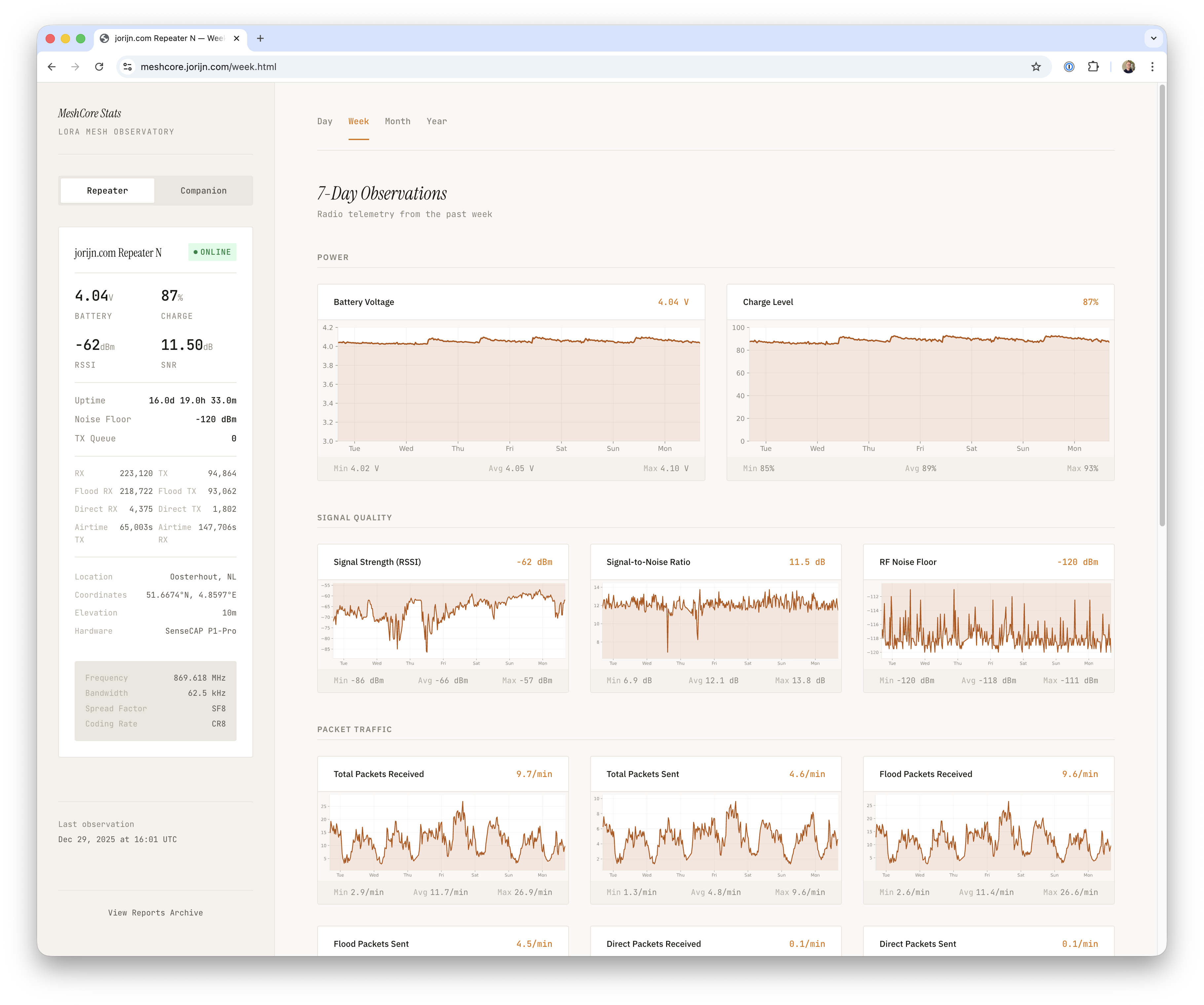
A monitoring system for MeshCore LoRa mesh networks. Collects metrics from companion and repeater nodes, stores them in SQLite, and generates a static dashboard with interactive charts.
**Live demo:** [meshcore.jorijn.com](https://meshcore.jorijn.com)
## Quick Start
> **Linux only** - macOS and Windows users see [Platform Notes](#platform-notes) first.
```bash
# Clone and configure
git clone https://github.com/jorijn/meshcore-stats.git
cd meshcore-stats
cp meshcore.conf.example meshcore.conf
# Edit meshcore.conf with your repeater name and password
# Create data directories (container runs as UID 1000)
mkdir -p data/state out
sudo chown -R 1000:1000 data out
# Add your serial device
cat > docker-compose.override.yml << 'EOF'
services:
meshcore-stats:
devices:
- /dev/ttyACM0:/dev/ttyACM0
EOF
# Start
docker compose up -d
# Verify it's working. The various collection and render jobs will trigger after a few minutes.
docker compose ps
docker compose logs meshcore-stats | head -20
# View dashboard at http://localhost:8080
```
## Features
- **Data Collection** - Metrics from local companion and remote repeater nodes
- **Interactive Charts** - SVG charts with day/week/month/year views and tooltips
- **Auto Telemetry Charts** - Repeater `telemetry.*` metrics are charted automatically when telemetry is enabled (`telemetry.voltage.*` excluded)
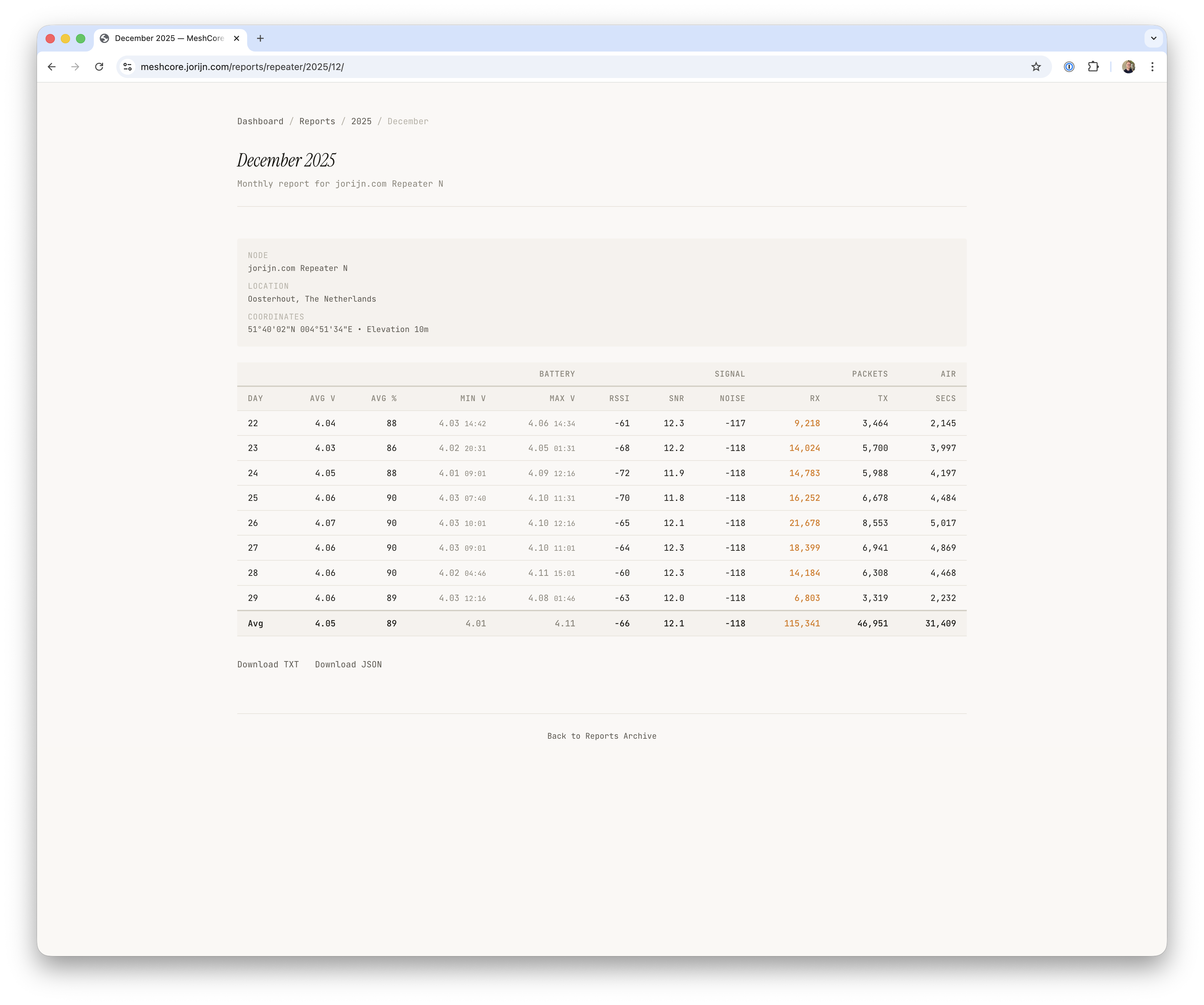
- **Statistics Reports** - Monthly and yearly report generation
- **Light/Dark Theme** - Automatic theme switching based on system preference
## Prerequisites
- Docker and Docker Compose V2
- MeshCore companion node connected via USB serial
- Remote repeater node reachable via LoRa from the companion
**Resource requirements:** ~100MB memory, ~100MB disk per year of data.
## Installation
### Docker (Recommended)
#### 1. Clone the Repository
```bash
git clone https://github.com/jorijn/meshcore-stats.git
cd meshcore-stats
```
#### 2. Configure
Copy the example configuration and edit it:
```bash
cp meshcore.conf.example meshcore.conf
```
**Minimal required settings:**
```ini
# Repeater identity (required)
REPEATER_NAME=Your Repeater Name
REPEATER_PASSWORD=your-admin-password
# Display names
REPEATER_DISPLAY_NAME=My Repeater
COMPANION_DISPLAY_NAME=My Companion
```
See [meshcore.conf.example](meshcore.conf.example) for all available options.
Optional telemetry display settings:
```ini
# Enable environmental telemetry collection from repeater
TELEMETRY_ENABLED=1
# Telemetry display units only (DB values stay unchanged)
DISPLAY_UNIT_SYSTEM=metric # or imperial
```
#### 3. Create Data Directories
```bash
mkdir -p data/state out
sudo chown -R 1000:1000 data out
```
The container runs as UID 1000, so directories must be writable by this user. If `sudo` is not available, you can relaxed the permissions using `chmod 777 data out`, but this is less secure.
#### 4. Configure Serial Device
Create `docker-compose.override.yml` to specify your serial device:
```yaml
services:
meshcore-stats:
devices:
- /dev/ttyACM0:/dev/ttyACM0
```
Ensure your user has serial port access:
```bash
sudo usermod -aG dialout $USER
# Log out and back in for changes to take effect
```
#### 5. Start the Containers
```bash
docker compose up -d
```
After the various collection and render jobs has run, the dashboard will be available at **http://localhost:8080**.
#### Verify Installation
```bash
# Check container status
docker compose ps
# View logs
docker compose logs -f meshcore-stats
```
### Common Docker Commands
```bash
# View real-time logs
docker compose logs -f meshcore-stats
# Restart after configuration changes
docker compose restart meshcore-stats
# Update to latest version (database migrations are automatic)
docker compose pull && docker compose up -d
# Stop all containers
docker compose down
# Backup database
cp data/state/metrics.db data/state/metrics.db.backup
```
> **Note**: `docker compose down` preserves your data. Use `docker compose down -v` only if you want to delete everything.
### Manual Installation (Alternative)
For environments where Docker is not available.
#### Requirements
- Python 3.11+ (3.14 recommended)
- SQLite3
- [uv](https://github.com/astral-sh/uv)
#### Setup
```bash
cd meshcore-stats
uv venv
source .venv/bin/activate
uv sync
cp meshcore.conf.example meshcore.conf
# Edit meshcore.conf with your settings
```
#### Cron Setup
Add to your crontab (`crontab -e`):
```cron
MESHCORE=/path/to/meshcore-stats
# Companion: every minute
* * * * * cd $MESHCORE && .venv/bin/python scripts/collect_companion.py
# Repeater: every 15 minutes
1,16,31,46 * * * * cd $MESHCORE && .venv/bin/python scripts/collect_repeater.py
# Charts: every 5 minutes
*/5 * * * * cd $MESHCORE && .venv/bin/python scripts/render_charts.py
# Site: every 5 minutes
*/5 * * * * cd $MESHCORE && .venv/bin/python scripts/render_site.py
# Reports: daily at midnight
0 0 * * * cd $MESHCORE && .venv/bin/python scripts/render_reports.py
```
Serve the `out/` directory with any web server.
## Platform Notes
Linux
Docker can access USB serial devices directly. Add your device to `docker-compose.override.yml`:
```yaml
services:
meshcore-stats:
devices:
- /dev/ttyACM0:/dev/ttyACM0
```
Common device paths:
- `/dev/ttyACM0` - Arduino/native USB
- `/dev/ttyUSB0` - USB-to-serial adapters
macOS
Docker Desktop for macOS runs in a Linux VM and **cannot directly access USB serial devices**.
**Option 1: TCP Bridge (Recommended)**
Expose the serial port over TCP using socat:
```bash
# Install socat
brew install socat
# Bridge serial to TCP (run in background)
socat TCP-LISTEN:5000,fork,reuseaddr OPEN:/dev/cu.usbserial-0001,rawer,nonblock,ispeed=115200,ospeed=115200
```
Configure in `meshcore.conf`:
```ini
MESH_TRANSPORT=tcp
MESH_TCP_HOST=host.docker.internal
MESH_TCP_PORT=5000
```
**Option 2: Native Installation**
Use the manual installation method with cron instead of Docker.
Windows (WSL2)
WSL2 and Docker Desktop for Windows cannot directly access COM ports.
Use the TCP bridge approach (similar to macOS) or native installation.
## Configuration Reference
| Variable | Default | Description |
|----------|---------|-------------|
| **Repeater Identity** | | |
| `REPEATER_NAME` | *required* | Advertised name to find in contacts |
| `REPEATER_PASSWORD` | *required* | Admin password for repeater |
| `REPEATER_KEY_PREFIX` | - | Alternative to `REPEATER_NAME`: hex prefix of public key |
| **Connection** | | |
| `MESH_TRANSPORT` | serial | Transport type: `serial`, `tcp`, or `ble` |
| `MESH_SERIAL_PORT` | auto | Serial port path |
| `MESH_TCP_HOST` | localhost | TCP host (for TCP transport) |
| `MESH_TCP_PORT` | 5000 | TCP port (for TCP transport) |
| **Display** | | |
| `REPEATER_DISPLAY_NAME` | Repeater Node | Name shown in UI |
| `COMPANION_DISPLAY_NAME` | Companion Node | Name shown in UI |
| `REPEATER_HARDWARE` | LoRa Repeater | Hardware model for sidebar |
| `COMPANION_HARDWARE` | LoRa Node | Hardware model for sidebar |
| **Location** | | |
| `REPORT_LOCATION_NAME` | Your Location | Full location for reports |
| `REPORT_LAT` | 0.0 | Latitude |
| `REPORT_LON` | 0.0 | Longitude |
| `REPORT_ELEV` | 0.0 | Elevation |
| **Radio** (display only) | | |
| `RADIO_FREQUENCY` | 869.618 MHz | Frequency shown in sidebar |
| `RADIO_BANDWIDTH` | 62.5 kHz | Bandwidth |
| `RADIO_SPREAD_FACTOR` | SF8 | Spread factor |
See [meshcore.conf.example](meshcore.conf.example) for all options with regional radio presets.
## Troubleshooting
| Symptom | Cause | Solution |
|---------|-------|----------|
| "Permission denied" on serial port | User not in dialout group | `sudo usermod -aG dialout $USER` then re-login |
| Repeater shows "offline" status | No data or circuit breaker tripped | Check logs; delete `data/state/repeater_circuit.json` to reset |
| Empty charts | Not enough data collected | Wait for 2+ collection cycles |
| Container exits immediately | Missing or invalid configuration | Verify `meshcore.conf` exists and has required values |
| "No serial ports found" | Device not connected/detected | Check `ls /dev/tty*` and device permissions |
| Device path changed after reboot | USB enumeration order changed | Update path in `docker-compose.override.yml` or use udev rules |
| "database is locked" errors | Maintenance script running | Wait for completion; check if VACUUM is running |
### Debug Logging
```bash
# Enable debug mode in meshcore.conf
MESH_DEBUG=1
# View detailed logs
docker compose logs -f meshcore-stats
```
### Circuit Breaker
The repeater collector uses a circuit breaker to avoid spamming LoRa when the repeater is unreachable. After multiple failures, it enters a cooldown period (default: 1 hour).
To reset manually:
```bash
rm data/state/repeater_circuit.json
docker compose restart meshcore-stats
```
## Architecture
```
┌─────────────────┐ LoRa ┌─────────────────┐
│ Companion │◄─────────────►│ Repeater │
│ (USB Serial) │ │ (Remote) │
└────────┬────────┘ └─────────────────┘
│
│ Serial/TCP
▼
┌─────────────────┐
│ Docker Host │
│ ┌───────────┐ │
│ │ meshcore- │ │ ┌─────────┐
│ │ stats │──┼────►│ nginx │──► :8080
│ └───────────┘ │ └─────────┘
│ │ │
│ ▼ │
│ SQLite + SVG │
└─────────────────┘
```
The system runs two containers:
- **meshcore-stats**: Collects data on schedule (Ofelia) and generates charts
- **nginx**: Serves the static dashboard
## Documentation
- [docs/firmware-responses.md](docs/firmware-responses.md) - MeshCore firmware response formats
## License
MIT
## Public Instances
Public MeshCore Stats installations. Want to add yours? [Open a pull request](https://github.com/jorijn/meshcore-stats/pulls)!
| URL | Hardware | Location |
|-----|----------|----------|
| [meshcore.jorijn.com](https://meshcore.jorijn.com) | SenseCAP Solar Node P1 Pro + 6.5dBi Mikrotik antenna | Oosterhout, The Netherlands |