Describe the bug
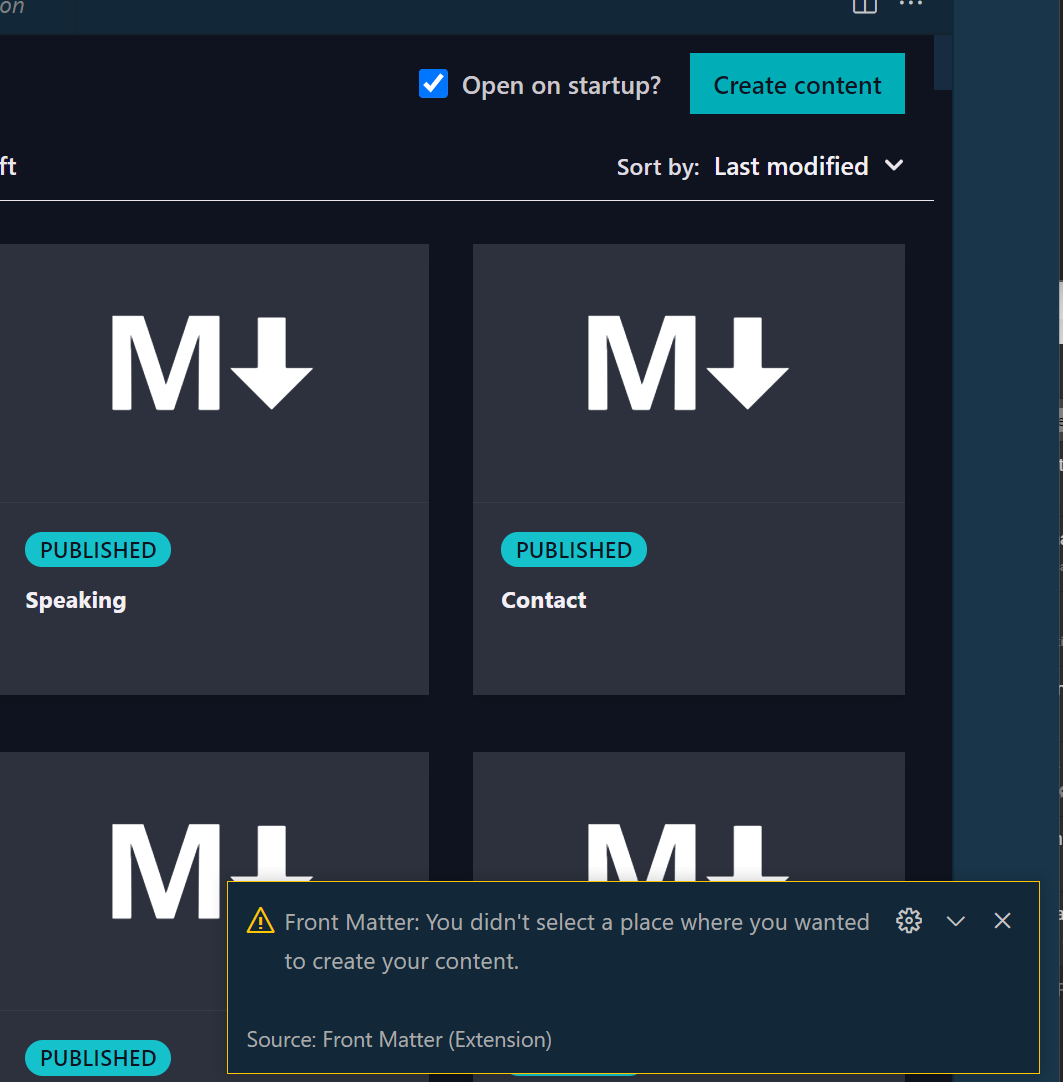
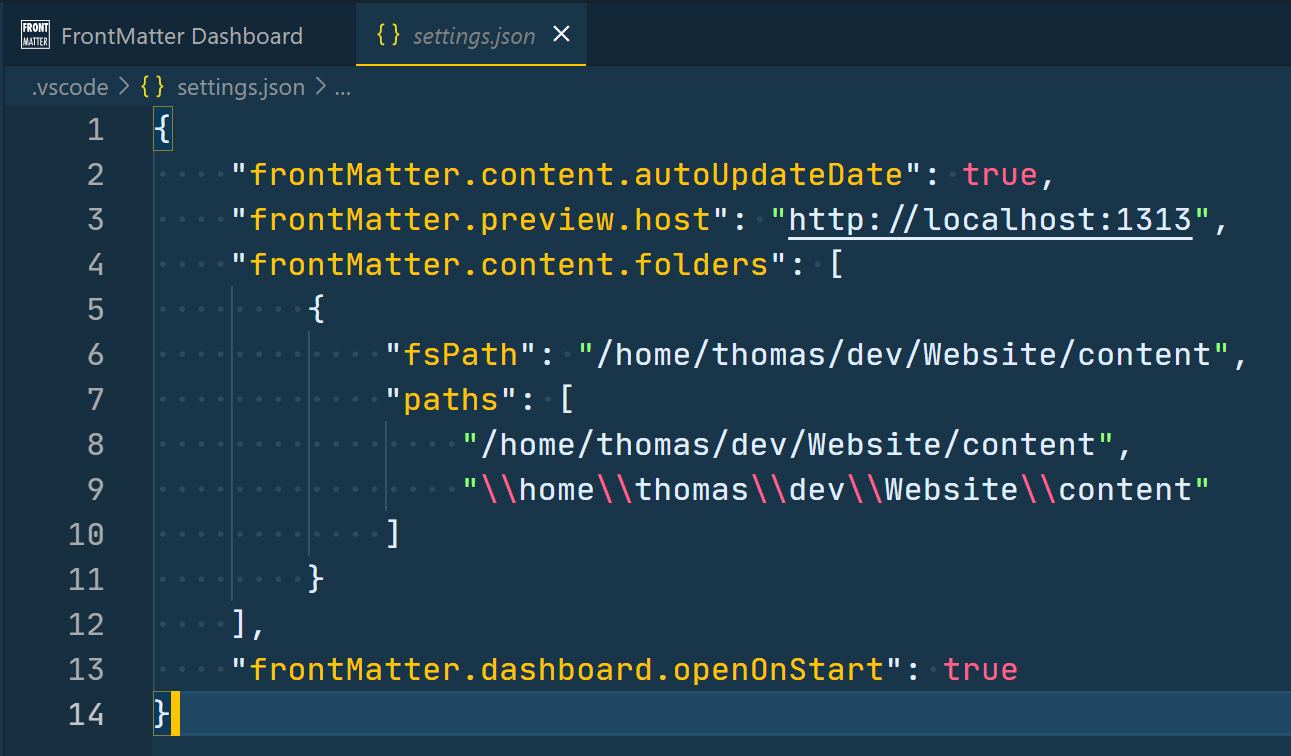
Clicking the "Create content" button results in the "Front Matter: You didn't select a place where you wanted to create your content" error message, although frontMatter.content.folders have been specified in the .vscode/settings.json file. I'm using WSL (Ubuntu).
To Reproduce
Go to the FrontMatter Dashboard
Click on "Create content"
Error message appears
Expected behavior
Content will be created in the location specified.
Screenshots
Desktop
OS: Windows 11 & WSL (Ubuntu)
**Describe the bug**
Clicking the "Create content" button results in the "Front Matter: You didn't select a place where you wanted to create your content" error message, although frontMatter.content.folders have been specified in the .vscode/settings.json file. I'm using WSL (Ubuntu).
**To Reproduce**
1. Go to the FrontMatter Dashboard
2. Click on "Create content"
3. Error message appears
**Expected behavior**
Content will be created in the location specified.
**Screenshots**


**Desktop**
- OS: Windows 11 & WSL (Ubuntu)
<!-- github-sync-id:992246889 -->
Thank you, @thomasvochten, for opening an issue. WSL can indeed cause some confusion in the extension, as it comes with Windows and Linux paths.
In the upcoming version, the folder setting has been changed to a simpler path. Would you like to give Front Matter BETA a try? That will include the new setting, and it will automatically update it.
Thank you, @thomasvochten, for opening an issue. WSL can indeed cause some confusion in the extension, as it comes with Windows and Linux paths.
In the upcoming version, the folder setting has been changed to a simpler path. Would you like to give `Front Matter BETA` a try? That will include the new setting, and it will automatically update it.
<!-- github-comment-id:916144822 -->
Oh, be aware, you can only have one version installed. So you will need to uninstall Front Matter, otherwise, the BETA will not enable itself. Nothing will be gone, as all settings are kept in the settings.json file.
Oh, be aware, you can only have one version installed. So you will need to uninstall `Front Matter`, otherwise, the BETA will not enable itself. Nothing will be gone, as all settings are kept in the settings.json file.
<!-- github-comment-id:916149501 -->
Blocking a user prevents them from interacting with repositories, such as opening or commenting on pull requests or issues. Learn more about blocking a user.
Describe the bug
Clicking the "Create content" button results in the "Front Matter: You didn't select a place where you wanted to create your content" error message, although frontMatter.content.folders have been specified in the .vscode/settings.json file. I'm using WSL (Ubuntu).
To Reproduce
Expected behavior
Content will be created in the location specified.
Screenshots
Desktop
Thank you, @thomasvochten, for opening an issue. WSL can indeed cause some confusion in the extension, as it comes with Windows and Linux paths.
In the upcoming version, the folder setting has been changed to a simpler path. Would you like to give
Front Matter BETAa try? That will include the new setting, and it will automatically update it.Oh, be aware, you can only have one version installed. So you will need to uninstall
Front Matter, otherwise, the BETA will not enable itself. Nothing will be gone, as all settings are kept in the settings.json file.Tested on my WSL environment, and with the BETA, this is not happening. Hopefully you have the same experience.
@thomasvochten does this problem still occur?
Yes! Works just fine now - thanks for the follow-up