Color balance / color profile issue with reduced images #751

Open
opened 2026-10-05 00:15:35 +02:00 by adam · 3 comments
Owner

When I upload an image from Lightroom to Piwigo I am noticing that all thumbnails and smaller resolution images that were rendered by Piwigo after the upload exhibit a color shift (colors appear warmer and more saturated). But on the full-size image, all colors match what I see in Lightroom.
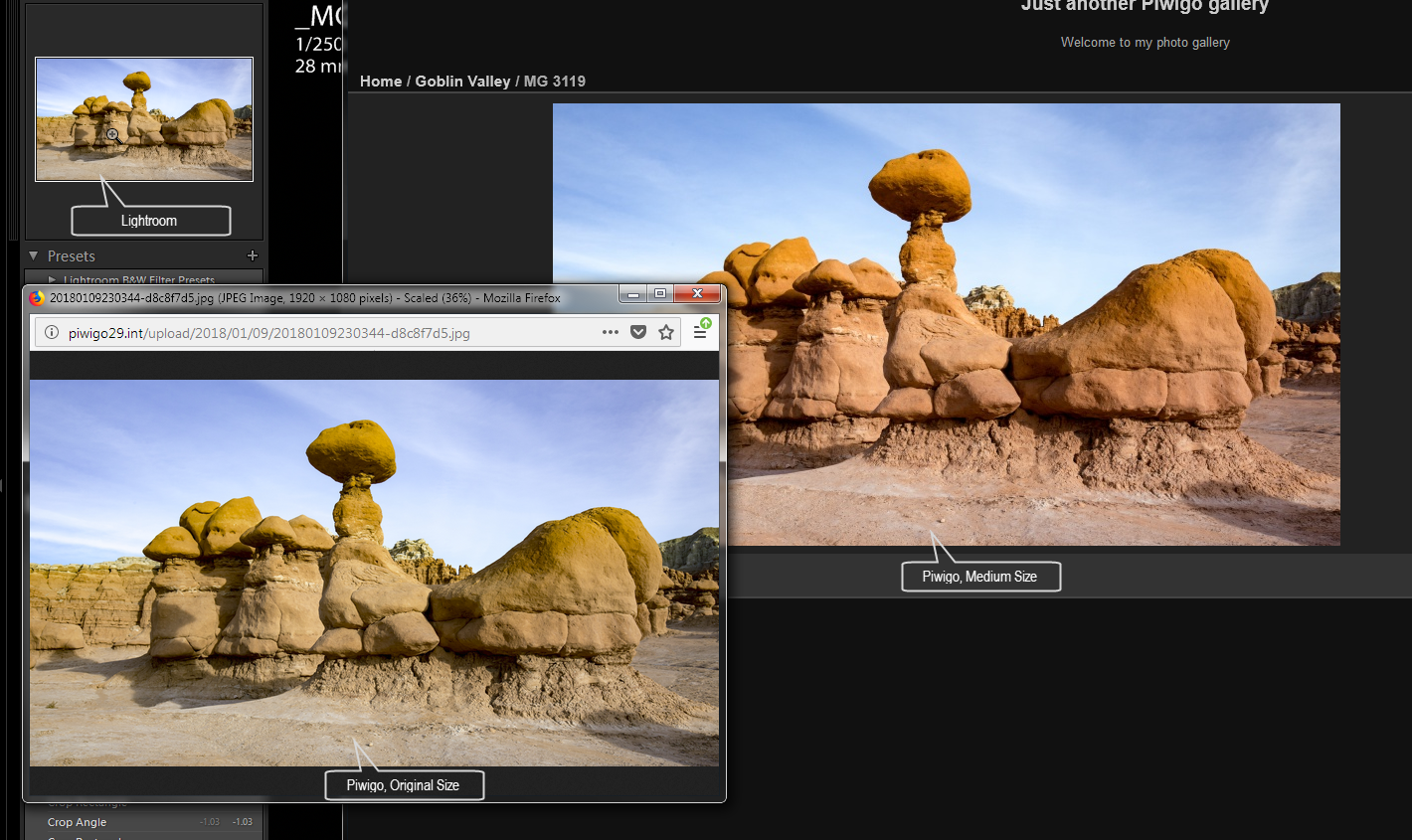
image

This may be happening because all Piwigo-rendered images lack color profile information.
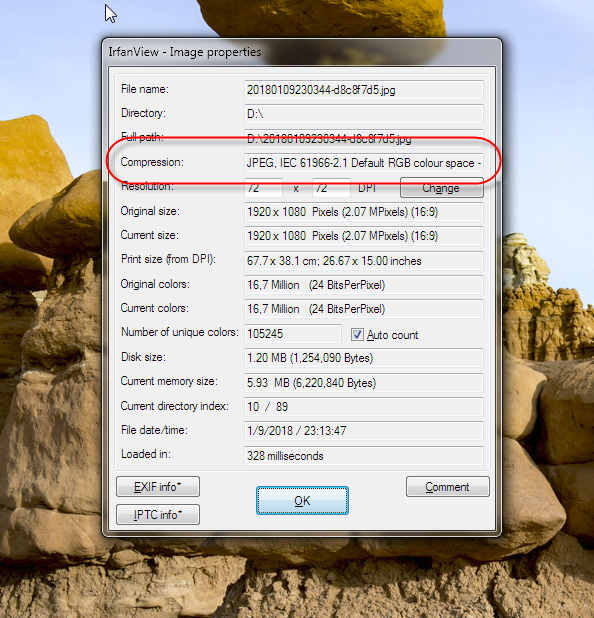
Here is a screenshot of image properties from IrfanView of the original JPEG (note the embedded RGB profile):
image

And this is the same of the medium-size image rendered on Piwigo's side, color profile information is missing:
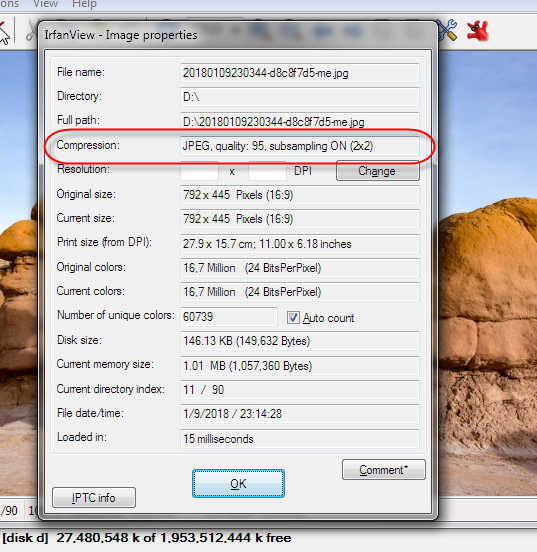
image

When I upload an image from Lightroom to Piwigo I am noticing that all thumbnails and smaller resolution images that were rendered by Piwigo after the upload exhibit a color shift (colors appear warmer and more saturated). But on the full-size image, all colors match what I see in Lightroom. ![image](https://user-images.githubusercontent.com/7515118/34755530-9457d52c-f592-11e7-8d6e-461df35e441a.png) This may be happening because all Piwigo-rendered images lack color profile information. Here is a screenshot of image properties from IrfanView of the original JPEG (note the embedded RGB profile): ![image](https://user-images.githubusercontent.com/7515118/34755609-0f09848c-f593-11e7-8c65-37502702281d.png) And this is the same of the medium-size image rendered on Piwigo's side, color profile information is missing: ![image](https://user-images.githubusercontent.com/7515118/34755617-215ddf34-f593-11e7-9d9b-b44587764d0e.png) <!-- github-sync-id:287310717 -->
Author
Owner

Hi @vvinogradsky

I would like to have this original file to make some tests. Can you send it to me (either by email, or in a Piwigo.com account). My feeling is that your color profile is not really sRGB (the sRGB color profile expected by web browsers I mean)

See also #859 : we could force the color profile in all cases (without modifying the original file, of course)

Hi @vvinogradsky I would like to have this original file to make some tests. Can you send it to me (either by email, or in a Piwigo.com account). My feeling is that your color profile is not really sRGB (the sRGB color profile expected by web browsers I mean) See also #859 : we could force the color profile in all cases (without modifying the original file, of course) <!-- github-comment-id:380388469 -->
Author
Owner

Hi Pierrick,
Thanks for looking into this. I e-mailed the images. Let me know if there is any additional testing you need me to do.

Hi Pierrick, Thanks for looking into this. I e-mailed the images. Let me know if there is any additional testing you need me to do. <!-- github-comment-id:380452636 -->
Author
Owner

The problem is that Piwigo strips metadata from resized images below a certain size. You can disable this by using ImageMagick and setting derivatives_strip_metadata_threshold to 0 in your config. If you do that, Piwigo should preserve the embedded ICC profiles so that your devices can read them properly.

The problem is that Piwigo strips metadata from resized images below a certain size. You can disable this by using ImageMagick and setting `derivatives_strip_metadata_threshold` to 0 in your config. If you do that, Piwigo should preserve the embedded ICC profiles so that your devices can read them properly. <!-- github-comment-id:899364865 -->
Sign in to join this conversation.
No labels
1 Participants
Notifications
Due Date
No due date set.
Dependencies

No dependencies set.

Reference: adam/Piwigo#751