I have a fresh web space and want to to install Piwigo. I called install.php
If I click the "Start Installation" button without giving any information
The following warning appears in the log file:
[29-Mar-2023 21:19:00 Europe/Berlin] PHP Warning: mysqli::__construct(): (HY000/2002): No such file or directory in /.../piwigo/include/dblayer/functions_mysqli.inc.php on line 52
[29-Mar-2023 21:19:00 Europe/Berlin] PHP Warning: mysqli::set_charset(): Couldn't fetch mysqli in /.../piwigo/include/dblayer/functions_mysqli.inc.php on line 88
Piwigo 13.6.0
PHP 7.4
If I run PHP8.0/PHP8.1 with Piwigo 13.6.0 the following happens:
After pressing the "Start installation" button a white page loads.
And the following log entries appears in the log:
[29-Mar-2023 21:24:34 Europe/Berlin] PHP Warning: mysqli::__construct(): (HY000/2002): No such file or directory in /.../piwigo/include/dblayer/functions_mysqli.inc.php on line 52
[29-Mar-2023 21:24:34 Europe/Berlin] PHP Fatal error: Uncaught Error: mysqli object is already closed in /.../piwigo/include/dblayer/functions_mysqli.inc.php:88
Stack trace:
#0 /.../piwigo/include/dblayer/functions_mysqli.inc.php(88): mysqli->set_charset()
#1 /.../piwigo/install.php(261): pwg_db_check_charset()
#2 {main}
thrown in /.../piwigo/include/dblayer/functions_mysqli.inc.php on line 88
I cannot use PHP7.4 anymore after March 31st 2023 on my web space.
As a beginner of Piwigo I would expect any short information on the install page, that PHP8 is not supported yet.
I have a fresh web space and want to to install Piwigo. I called install.php
If I click the "Start Installation" button without giving any information

The following warning appears in the log file:
```
[29-Mar-2023 21:19:00 Europe/Berlin] PHP Warning: mysqli::__construct(): (HY000/2002): No such file or directory in /.../piwigo/include/dblayer/functions_mysqli.inc.php on line 52
[29-Mar-2023 21:19:00 Europe/Berlin] PHP Warning: mysqli::set_charset(): Couldn't fetch mysqli in /.../piwigo/include/dblayer/functions_mysqli.inc.php on line 88
```
Piwigo 13.6.0
PHP 7.4
-------------------
If I run PHP8.0/PHP8.1 with Piwigo 13.6.0 the following happens:
After pressing the "Start installation" button a white page loads.
And the following log entries appears in the log:
```
[29-Mar-2023 21:24:34 Europe/Berlin] PHP Warning: mysqli::__construct(): (HY000/2002): No such file or directory in /.../piwigo/include/dblayer/functions_mysqli.inc.php on line 52
[29-Mar-2023 21:24:34 Europe/Berlin] PHP Fatal error: Uncaught Error: mysqli object is already closed in /.../piwigo/include/dblayer/functions_mysqli.inc.php:88
Stack trace:
#0 /.../piwigo/include/dblayer/functions_mysqli.inc.php(88): mysqli->set_charset()
#1 /.../piwigo/install.php(261): pwg_db_check_charset()
#2 {main}
thrown in /.../piwigo/include/dblayer/functions_mysqli.inc.php on line 88
```
I cannot use PHP7.4 anymore after March 31st 2023 on my web space.
As a beginner of Piwigo I would expect any short information on the install page, that PHP8 is not supported yet.
<!-- github-sync-id:1646393157 -->
hello the only thing that should not be exceeded is php 8.1 with version 13

<!-- github-comment-id:1489219401 -->
If I understood "On the technical side, Piwigo gets compatibility with PHP8.1...." correct it means, that Piwigo 13.6.0 should have no troubles with PHP8.0/PHP8.1
In my first post, I added the PHP errors that appears with PHP7.4 and PHP8.0/8.1.
How else could I answer your question "why white page in your site"? Which information do you miss?
If I understood "On the technical side, Piwigo gets compatibility with PHP8.1...." correct it means, that Piwigo 13.6.0 should have no troubles with PHP8.0/PHP8.1
In my first post, I added the PHP errors that appears with PHP7.4 and PHP8.0/8.1.
How else could I answer your question "why white page in your site"? Which information do you miss?
<!-- github-comment-id:1489276678 -->
in your errors of the first message claim that there are special characters for example @'éàçè-(")...
try changing your mysql configuration
or there is no write access to the "database.inc.php" file
in your errors of the first message claim that there are special characters for example @'éàçè-(")...
try changing your mysql configuration
or there is no write access to the "database.inc.php" file
<!-- github-comment-id:1491402311 -->
I have a fresh new instance.
I opened install.php.
I clicked the "Start Installation" button (I did not type anything into the inputs!).
If I enabled PHP7.4: The error messages (see screenshot: red box) appears AND the given PHP warning was written into the PHP error log.
If I enabled PHP8.0/PHP8.1: A white page appeared, when I clicked the "Start Installation" button AND the second PHP warning+fatal error was written into the PHP error log.
That means: install.php is not ready for PHP8.
Yes, I was able to install successful the application with PHP7.4 (but my web hoster supported PHP7.4 till yesterday. I have to use PHP8 since today).
in your errors of the first message claim that there are special characters for example @'éàçè-(")... try changing your mysql configuration or there is no write access to the "database.inc.php" file
Where is written, that there are special characters?
Let me to describe the situation:
I have a fresh new instance.
I opened install.php.
I clicked the "Start Installation" button (I did not type anything into the inputs!).
If I enabled PHP7.4: The error messages (see screenshot: red box) appears AND the given PHP warning was written into the PHP error log.
If I enabled PHP8.0/PHP8.1: A white page appeared, when I clicked the "Start Installation" button AND the second PHP warning+fatal error was written into the PHP error log.
That means: install.php is not ready for PHP8.
Yes, I was able to install successful the application with PHP7.4 (but my web hoster supported PHP7.4 till yesterday. I have to use PHP8 since today).
> in your errors of the first message claim that there are special characters for example @'éàçè-(")... try changing your mysql configuration or there is no write access to the "database.inc.php" file
Where is written, that there are special characters?
<!-- github-comment-id:1492276053 -->
If I understand @math-GH correctly the problem is in (lack of) error reporting during installation, in which case I came here to confirm it. Steps to reproduce:
Start the installation of Piwigo (I am using 13.8.0) on a system with PHP 8.1 (and, in my case, nginx, that might be relevant).
Navigate to piwigo.example.com/install.php (or whatever your domain is ofc).
Misconfigure something (things I inadvertently "tested" before I got it right: wrong address for the mysql server, running php as an incorrect user).
Click "Start installation".
Expected result: an informative error about the installation failing displayed in the browser.
Actual result: Empty white page in the browser. There are some errors in the nginx logs, but they are not particularly helpful (exception when calling a method on the null object that was supposed to be the db connection, trying to write into a false when there are file creation errors).
If I understand @math-GH correctly the problem is in (lack of) error reporting during installation, in which case I came here to confirm it. Steps to reproduce:
1. Start the installation of Piwigo (I am using 13.8.0) on a system with PHP 8.1 (and, in my case, nginx, that might be relevant).
2. Navigate to `piwigo.example.com/install.php` (or whatever your domain is ofc).
3. Misconfigure something (things I inadvertently "tested" before I got it right: wrong address for the mysql server, running php as an incorrect user).
4. Click "Start installation".
Expected result: an informative error about the installation failing displayed in the browser.
Actual result: Empty white page in the browser. There are some errors in the `nginx` logs, but they are not particularly helpful (exception when calling a method on the `null` object that was supposed to be the db connection, trying to write into a `false` when there are file creation errors).
I'm pretty sure https://github.com/Piwigo/Piwigo/commit/c6eebad0cb94e672be826031348c8aec3856f46b helped at least a bit with the first thing (although the error I got from applying that was a less than helpful "No such file or directory").
<!-- github-comment-id:1663594806 -->
Blocking a user prevents them from interacting with repositories, such as opening or commenting on pull requests or issues. Learn more about blocking a user.
I have a fresh web space and want to to install Piwigo. I called install.php
If I click the "Start Installation" button without giving any information
The following warning appears in the log file:
Piwigo 13.6.0
PHP 7.4
If I run PHP8.0/PHP8.1 with Piwigo 13.6.0 the following happens:
After pressing the "Start installation" button a white page loads.
And the following log entries appears in the log:
I cannot use PHP7.4 anymore after March 31st 2023 on my web space.
As a beginner of Piwigo I would expect any short information on the install page, that PHP8 is not supported yet.
hello the only thing that should not be exceeded is php 8.1 with version 13
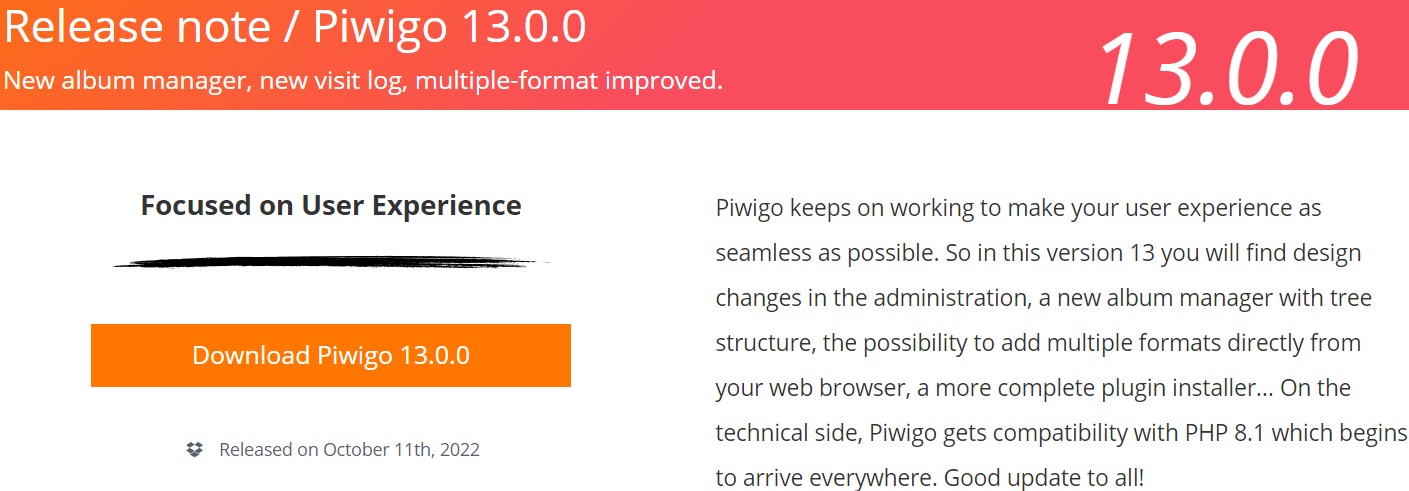
why white page in your site
If I understood "On the technical side, Piwigo gets compatibility with PHP8.1...." correct it means, that Piwigo 13.6.0 should have no troubles with PHP8.0/PHP8.1
In my first post, I added the PHP errors that appears with PHP7.4 and PHP8.0/8.1.
How else could I answer your question "why white page in your site"? Which information do you miss?
in your errors of the first message claim that there are special characters for example @'éàçè-(")...
try changing your mysql configuration
or there is no write access to the "database.inc.php" file
Let me to describe the situation:
I have a fresh new instance.
I opened install.php.
I clicked the "Start Installation" button (I did not type anything into the inputs!).
If I enabled PHP7.4: The error messages (see screenshot: red box) appears AND the given PHP warning was written into the PHP error log.
If I enabled PHP8.0/PHP8.1: A white page appeared, when I clicked the "Start Installation" button AND the second PHP warning+fatal error was written into the PHP error log.
That means: install.php is not ready for PHP8.
Yes, I was able to install successful the application with PHP7.4 (but my web hoster supported PHP7.4 till yesterday. I have to use PHP8 since today).
Where is written, that there are special characters?
If I understand @math-GH correctly the problem is in (lack of) error reporting during installation, in which case I came here to confirm it. Steps to reproduce:
piwigo.example.com/install.php(or whatever your domain is ofc).Expected result: an informative error about the installation failing displayed in the browser.
Actual result: Empty white page in the browser. There are some errors in the
nginxlogs, but they are not particularly helpful (exception when calling a method on thenullobject that was supposed to be the db connection, trying to write into afalsewhen there are file creation errors).I'm pretty sure https://github.com/Piwigo/Piwigo/commit/c6eebad0cb94e672be826031348c8aec3856f46b helped at least a bit with the first thing (although the error I got from applying that was a less than helpful "No such file or directory").