mirror of
https://github.com/Piwigo/Piwigo.git
synced 2026-10-30 21:52:00 +01:00
Moving album from album manager. #1263
Assignees
 adam (Adam Wojcieszonek)
Clear assignees
adam (Adam Wojcieszonek)
No Assignees
Notifications
Due Date
No due date set.
Dependencies
No dependencies set.
Reference: adam/Piwigo#1263
Reference in new issue
Block a user
In 2.10, we had the possibility to move albums directly in the album manager.
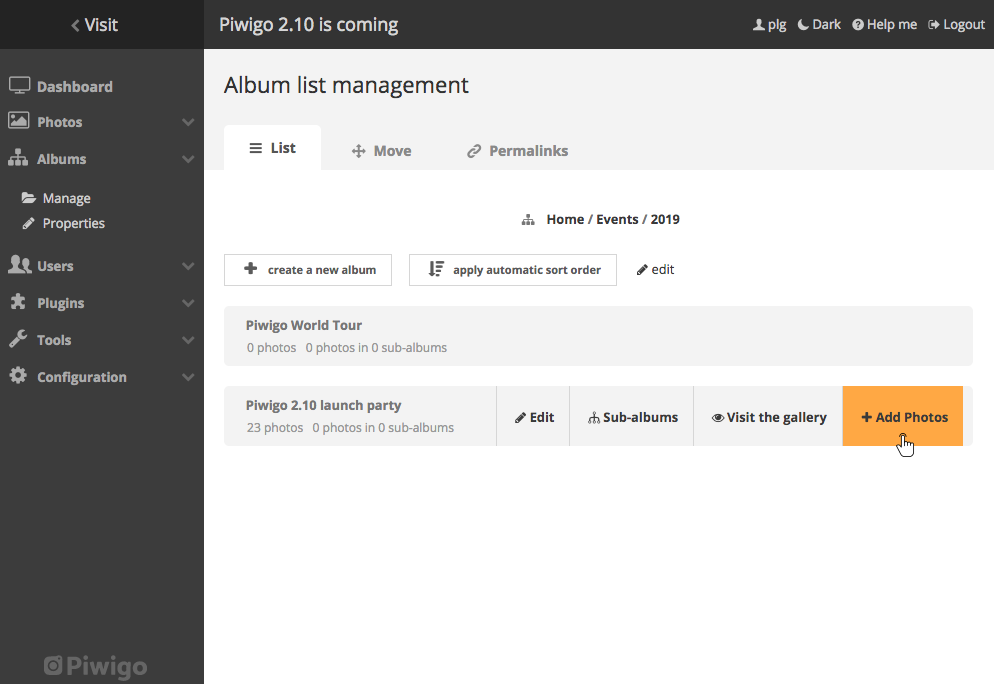
In the 11.x release, we moved this functionality in a dedicated tab. By doing this, some users were lost and moreover if we want to move an album at level 10 in the album tree, we have too open each parent in the "Move Albums" tab which in a significant loss of time.
To solve this issue we introduced a new action in the album manager which redirects to the "Move Albums" page focused on the album we chosed to move.