I'm using my instance (v. 11.3.0) for the first time and I'd like to add photos, but once connected, i only have this:
An empty gallery where i can literally do nothing, not even disconnect. The only present options are about photos viewing, wich are useless for now because the gallery is empty, and the "How to" explained in the doc doesn't help me because there's no menu with the "add photos" option.
Hello,
I'm using my instance (v. 11.3.0) for the first time and I'd like to add photos, but once connected, i only have this:

An empty gallery where i can literally do nothing, not even disconnect. The only present options are about photos viewing, wich are useless for now because the gallery is empty, and the "How to" explained in the doc doesn't help me because there's no menu with the "add photos" option.
<!-- github-sync-id:835431960 -->
When you have no picture after the install, a special page should be displayed
And you should have a login zone at the top right
And since that's not the case you still can go to ./admin.php url to go to the admin panel
First I would overwrite all files (it's safe)
When you have no picture after the install, a special page should be displayed
And you should have a login zone at the top right

And since that's not the case you still can go to ./admin.php url to go to the admin panel
First I would overwrite all files (it's safe)
<!-- github-comment-id:802634857 -->
I added my photos via the admin panel. Now i can view my own album but outside that, there is no change on the page.
And the question may be dumb, but how regular users are supposed to post their photo if it can only be done through the admin panel ?
I added my photos via the admin panel. Now i can view my own album but outside that, there is no change on the page.
And the question may be dumb, but how regular users are supposed to post their photo if it can only be done through the admin panel ?
<!-- github-comment-id:802737423 -->
I added my photos via the admin panel. Now i can view my own album but outside that, there is no change on the page.
that's still a bug.
And the question may be dumb, but how regular users are supposed to post their photo if it can only be done through the admin panel ?
they don't. Or you use a specific plugin for that. The Community one
> I added my photos via the admin panel. Now i can view my own album but outside that, there is no change on the page.
that's still a bug.
> And the question may be dumb, but how regular users are supposed to post their photo if it can only be done through the admin panel ?
they don't. Or you use a specific plugin for that. The Community one
<!-- github-comment-id:802741121 -->
I think it would be more practical if the plugins "admin" and "community" were activated by default. If you didn't said to me to go to the "./admin.php" page, my piwigo instance would stayed unusable for me.
<!-- github-comment-id:802755383 -->
one again
you are experiencing a bug!
1-When you have no picture after the install, a special page should be displayed
2-you should have a login zone at the top right with your username, a Preference link and the admin Link
To correct that I recommend first to overwrite all files (it's safe)
And we prefer to discuss about not confirmed issues and bug on our forum where many more users can help and find information
one again
you are experiencing a bug!
1-When you have no picture after the install, a special page should be displayed
2-you should have a login zone at the top right with your username, a Preference link and the admin Link
To correct that I recommend first to overwrite all files (it's safe)
And we prefer to discuss about not confirmed issues and bug on our forum where many more users can help and find information
<!-- github-comment-id:802804904 -->
Blocking a user prevents them from interacting with repositories, such as opening or commenting on pull requests or issues. Learn more about blocking a user.
Hello,
I'm using my instance (v. 11.3.0) for the first time and I'd like to add photos, but once connected, i only have this:
An empty gallery where i can literally do nothing, not even disconnect. The only present options are about photos viewing, wich are useless for now because the gallery is empty, and the "How to" explained in the doc doesn't help me because there's no menu with the "add photos" option.
hi
try with your url followed by /identification.php
It redirects me to the empty gallery mentioned above.
When you have no picture after the install, a special page should be displayed
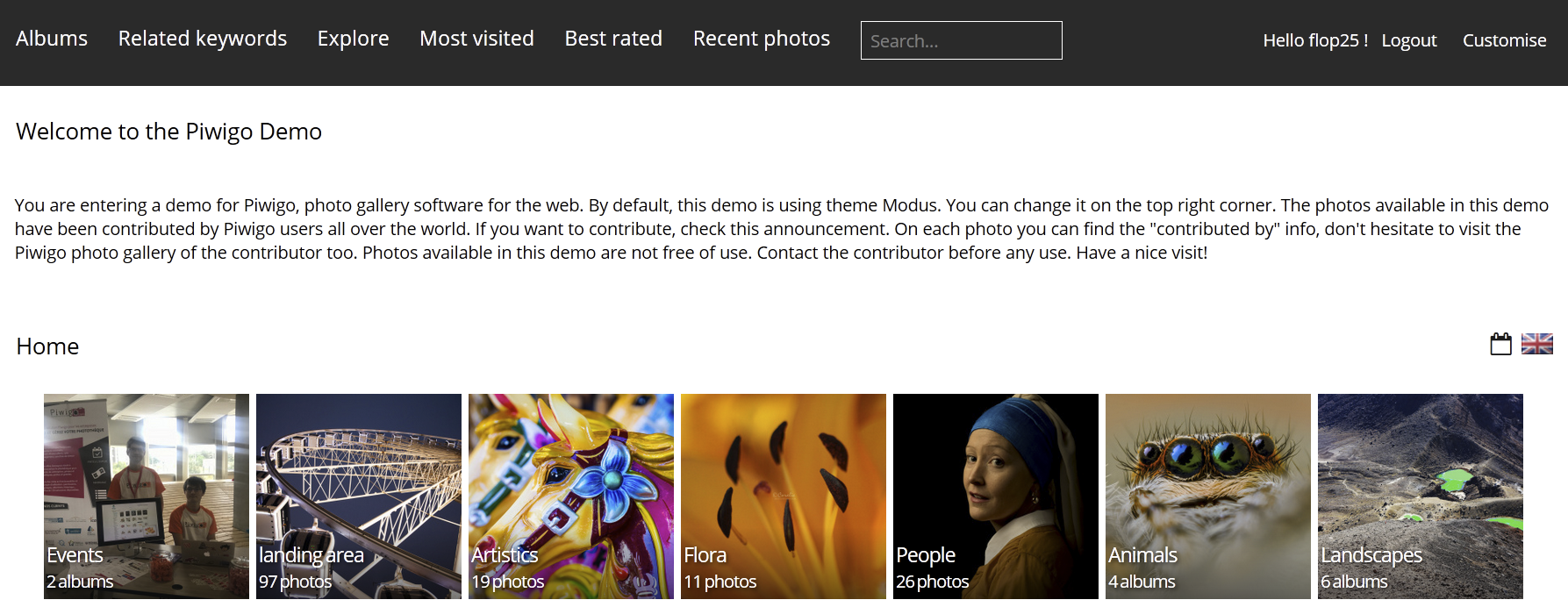
And you should have a login zone at the top right
And since that's not the case you still can go to ./admin.php url to go to the admin panel
First I would overwrite all files (it's safe)
I added my photos via the admin panel. Now i can view my own album but outside that, there is no change on the page.
And the question may be dumb, but how regular users are supposed to post their photo if it can only be done through the admin panel ?
that's still a bug.
they don't. Or you use a specific plugin for that. The Community one
I think it would be more practical if the plugins "admin" and "community" were activated by default. If you didn't said to me to go to the "./admin.php" page, my piwigo instance would stayed unusable for me.
one again
you are experiencing a bug!
1-When you have no picture after the install, a special page should be displayed
2-you should have a login zone at the top right with your username, a Preference link and the admin Link
To correct that I recommend first to overwrite all files (it's safe)
And we prefer to discuss about not confirmed issues and bug on our forum where many more users can help and find information